

Hi dear user, do you want to update your email address on eZfile! I am here to help you out.
Let’s begin.
Simple steps to update email address on eZfile
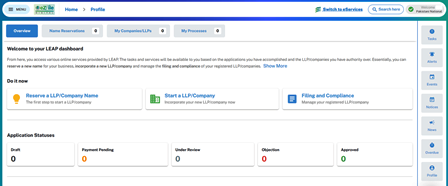
- Go on SECP eZfile portal (its another name is LEAP).
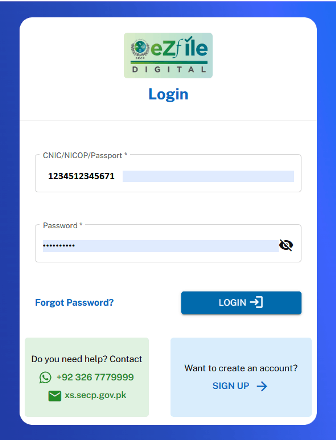
- Login to the portal using your credentials (CNIC, NICOP or Passport number)
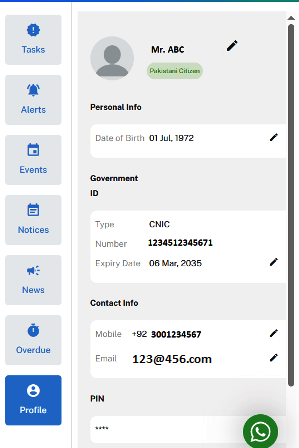
- Navigate to right side where you find a profile settings at the bottom. Never forget to scroll down the webpage.
- Click on “Profile” settings button and you will find setting options at right side.
- Click on “Pen” icon under the “Contact info” against the already mentioned email address.
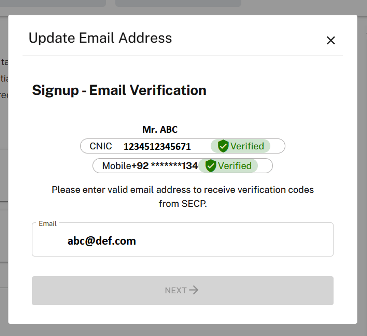
- A “Popup” will appear to update email address.
- Add your new email and you will get 4 digit verification code on new email.
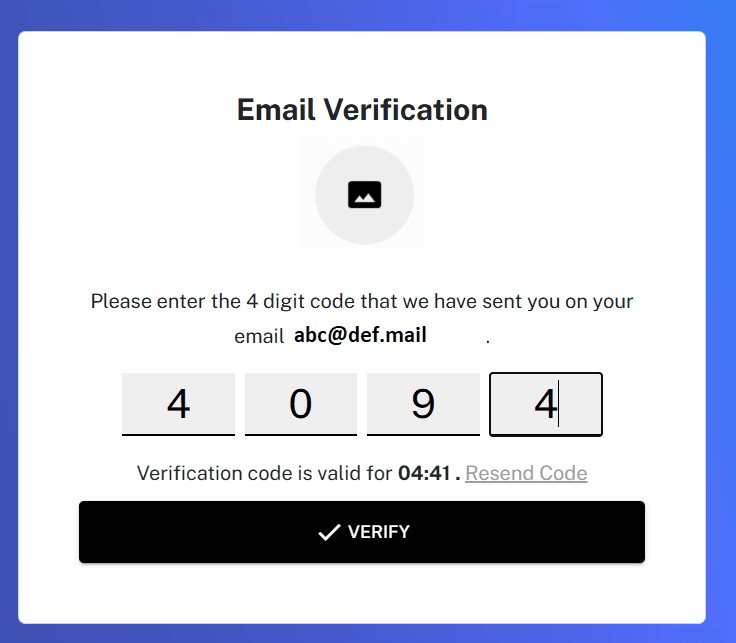
- Enter verification code and your email address will be updated.
Pictorial version of Updating your email address
And I am showing you screenshots one by one so you can update your email yourself.
Screenshot 1 – eZfile login window
Screenshot 2 – Profile dashboard
Screenshot 3 – Click on Profile Settings
Screenshot 4 – Add your email address
Screenshot 5 – eZfile is sending OTP.
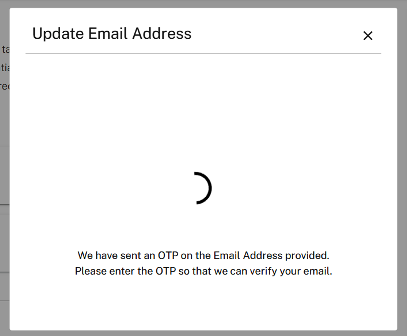
Screenshot 6 – Verify your email
Screenshot 7 – Your email has been updated.
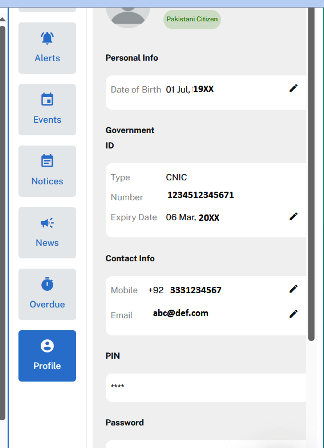
You can update your email address with ease.
Let’s talk
If you want to register your company, need help preparing the required documents or simply want someone experienced to guide you through the entire SECP process smoothly. Our team is here to help you.
Here is my another blog explaining the complete process of registration of company in Pakistan.
Let’s talk to register your business smoothly.
Disclaimer
The information shared in this guide is for general educational purposes only. It reflects the standard process for updating email address.
This article should not be taken as legal advice. Always verify the latest SECP guidelines or consult a professional before taking any formal steps.