Hi dear Pakistani, do you want to register your business as limited liability company in Pakistan! I am here to help you out.
Before I continue, you should know: SECP is the Securities and Exchange Commission of Pakistan that regulates capital market and corporates operating in the country.
In order to create your account on eZfile, you should have your valid CNIC or NICOP, local mobile number and email address. Mobile number must be registered against your CNIC.
For NICOP holders, if local (Pakistani) mobile number is not available, SECP will do verification via email. Let’s move toward creating your account on SECP eZfile.
Simple steps to create account of a Pakistani Citizen on eZfile
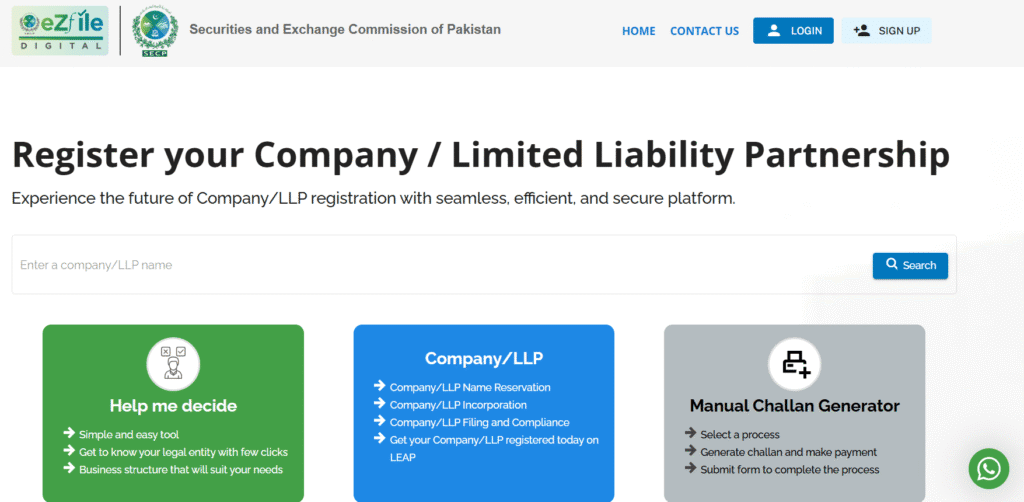
- Go on SECP eZfile portal (its another name is LEAP).
- Click on SIGN UP at right hand top corner.
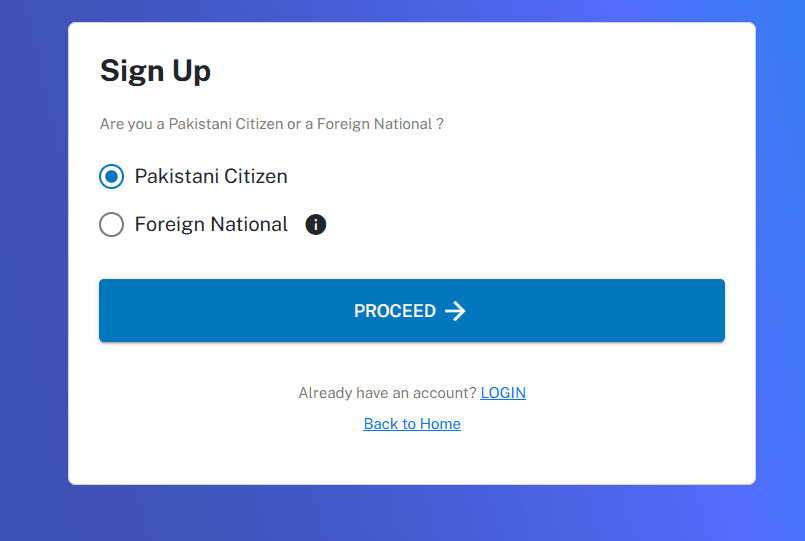
- Select “Pakistani Citizen” and click on PROCEED.
- Select NICOP or CNIC accordingly on the next pop-up.
- Add your information like first name, last name, CNIC or NICOP number & its expiry date, local mobile number, email address and occupation (select BUSINESS in occupation).
- After adding your information, click on NEXT.
- Next pop-up will appear where you will create your password. Your password length must be in between 10 to 16 characters with at least 1 lower case, 1 upper case and 1 special character. Don’t start your password with space or any special character.
- After creating your password, click on DONE.
- eZfile will send four-digit code at your provided mobile number.
- eZfile will send four-digit code at provided email address.
- Enter four-digit code then click on VERIFY.
- After the verification, you will see CONGRATULATIONS message on a pop-up.
In the end, SECP will send you PIN via email. Save this PIN. It will work as your digital signature when you submit your application of company registration.
Pictorial version of creating Pakistani Citizen’s account
And I am showing you screenshots one by one so you can create your account yourself.
Screenshot 1 – eZfile LEAP portal
Screenshot 2 – Select Pakistani Citizen
Screenshot 3 – Select CNIC or NICOP
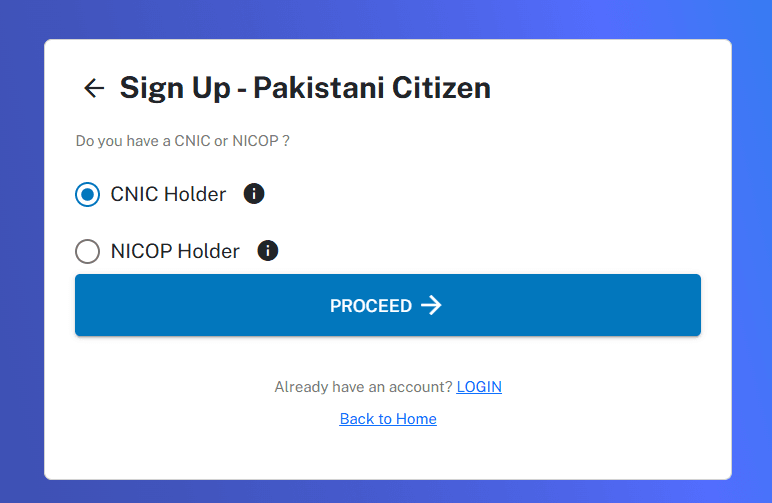
Screenshot 4 – Enter your details
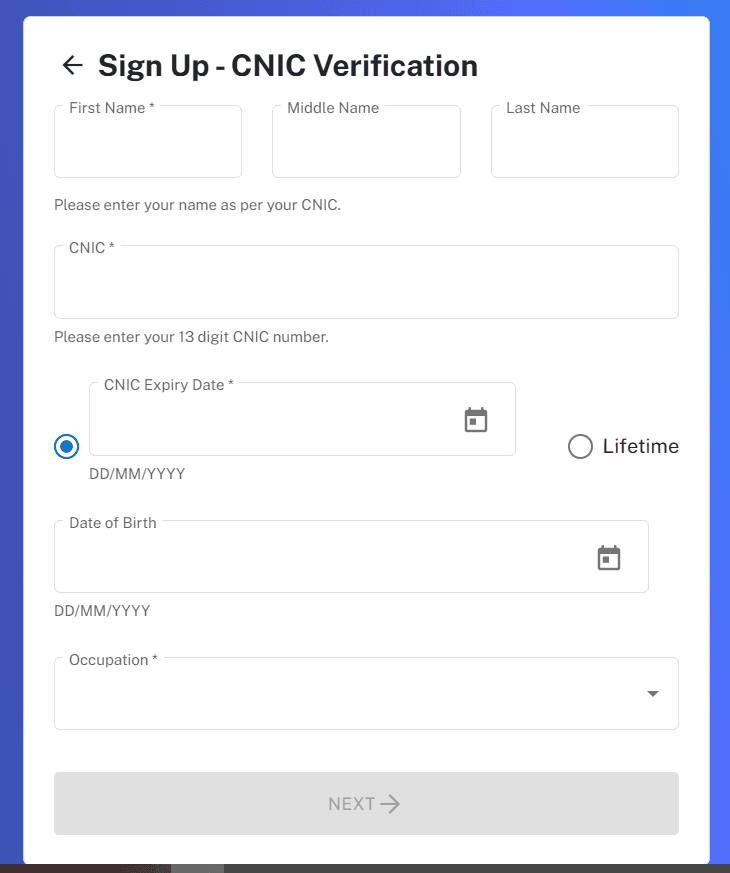
Screenshot 5 – Create your password
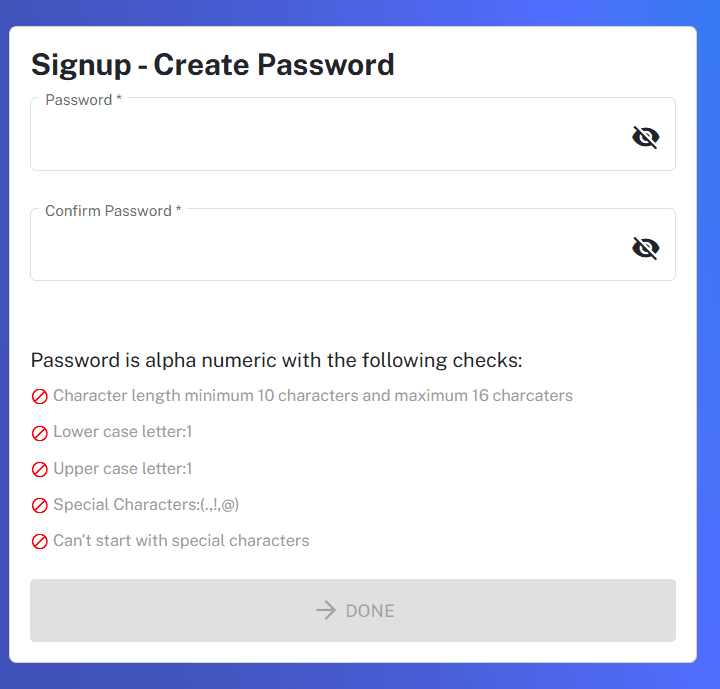
Screenshot 6 – Verify your email and then mobile number
Screenshot 7 – Your account created
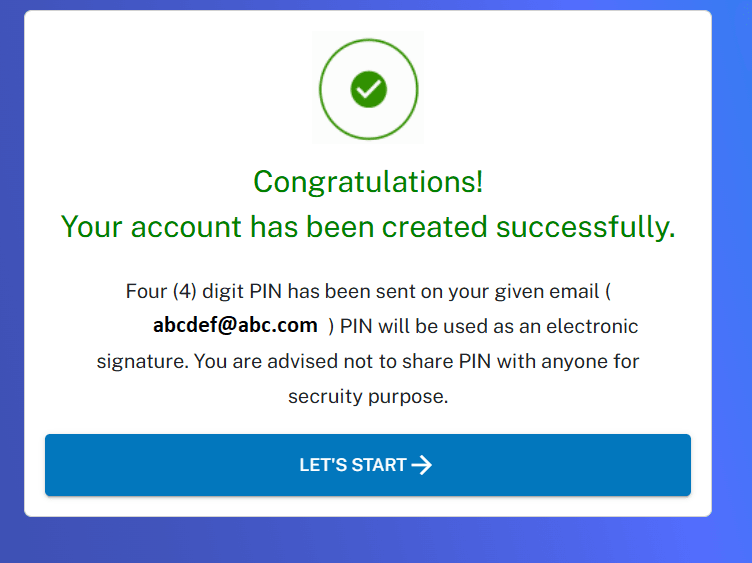
And, your account has been created on eZfile LEAP portal.
And that’s it. You’re now fully aware of how you can create an account on SECP’s eZfile portal and what documents are required to move forward with registering your company in Pakistan.
Once your account is active, you’ve already completed the first major step toward officially launching your business here.
Let’s have a talk
If you want to register your company, need help preparing the required documents or simply want someone experienced to guide you through the entire SECP process smoothly. I am here to help you.
Here is my another blog explaining the complete process of registration of company in Pakistan.
Let’s talk and get your company registered the right way without any stress, confusion and guesswork.
Your business. Your vision. Registered in Pakistan with clarity and confidence.
Disclaimer
The information shared in this guide is for general educational purposes only. It reflects the standard process for Pakistani nationals creating an eZfile (LEAP) account.
Rules, requirements, and procedures may change over time. Every applicant’s situation may differ.
This article should not be taken as legal advice. Always verify the latest SECP guidelines or consult a professional before taking any formal steps.